

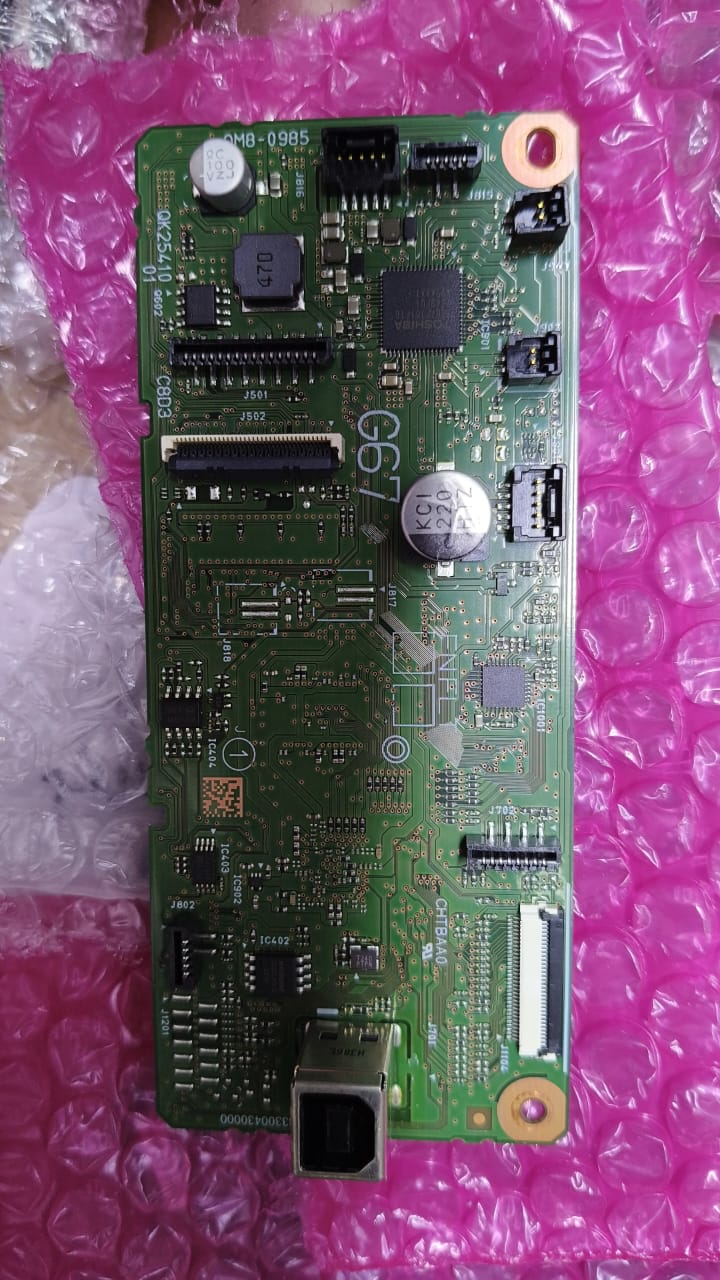
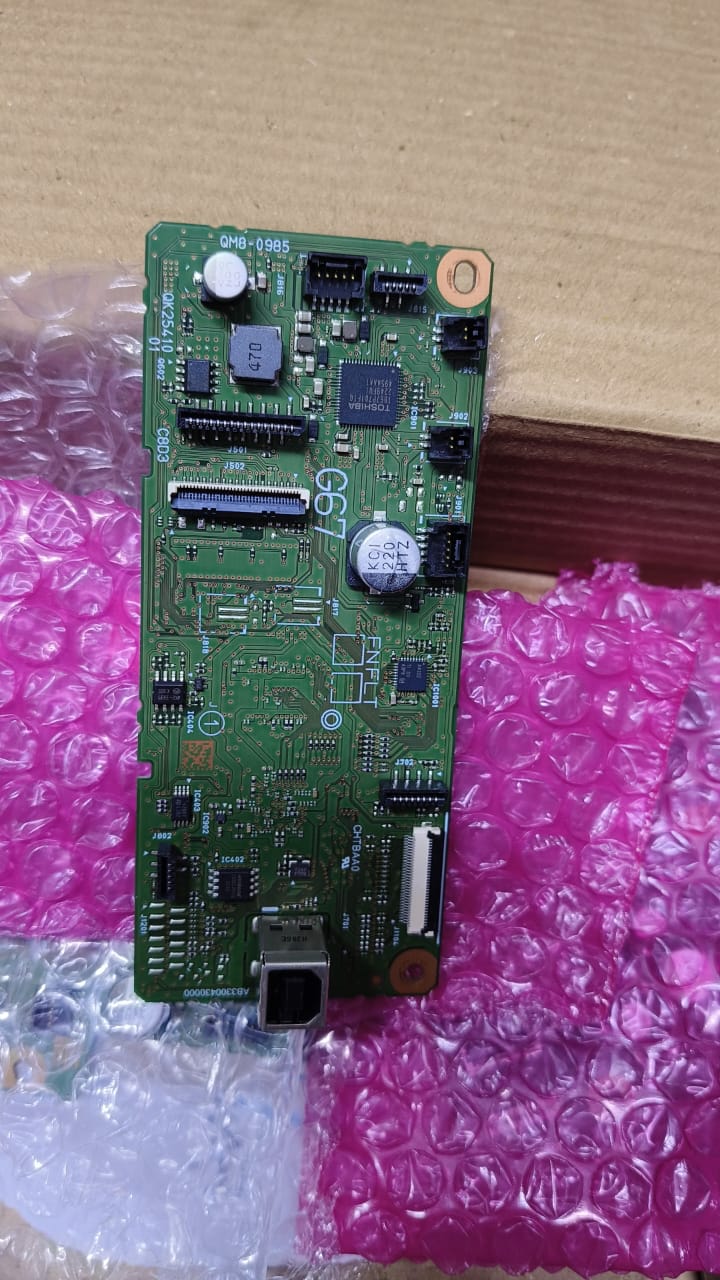


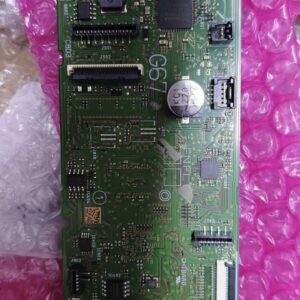
Canon PIXMA G3430 Mainboard/Formatter Board QM8-0985 G67
Original price was: KSh 15,000.00.KSh 7,500.00Current price is: KSh 7,500.00.pieces
Canon PIXMA G 3430 Mainboard/Formatter Board QM8-0985 G67
Key Features:
-
OEM Canon Main Logic Board — Built to original Canon specifications for reliability and compatibility.
-
Part Number: QM8‑0985 — Matches Canon’s designation for the PIXMA G3430 main control board.
-
Primary Function: Acts as the formatter — processing print jobs, interpreting commands from connected devices, and directing printer subsystems accordingly.
-
Controls Printer Operations: Manages internal systems such as USB/Wi‑Fi interfaces, print data buffering, scanning control, motor and sensor coordination, user panel inputs, and error reporting.
-
Restores Full Printer Functionality: Ideal for resolving issues like failure to power on, communication errors, inability to print/scan, or blank/unstable display behaviors.
-
Plug‑and‑Play Replacement: Designed for direct replacement, typically no reconfiguration or firmware flashing required.
Canon PIXMA G 3430 Mainboard/Formatter Board QM8-0985 G67
Introduction: Restore Your Canon PIXMA G3430 with a Genuine Mainboard
Welcome to our product page for the Canon PIXMA G3430 Mainboard QM8-0985/G67 the essential replacement formatter and logic board specifically designed for Canon PIXMA G3430 printers. This critical component serves as the printer’s central processing unit, controlling all operations from data reception to print execution. When your Canon PIXMA G3430 experiences system failures, this QM8–0985 mainboard provides the exact OEM-compatible solution needed for complete restoration.
Comprehensive Specifications & Compatibility
The Canon PIXMA G3430 Mainboard (part number QM8-0985) is manufactured to exact Canon specifications, ensuring seamless integration with your printer’s hardware ecosystem. First, it’s crucial to verify compatibility: this board is designed exclusively for the Canon PIXMA G3430 model. Therefore, always check your printer’s model number and the existing board’s part number (QM8-0985) before purchasing.
Key Technical Details:
-
Primary Part Number: QM8-0985
-
Compatible Printer: Canon PIXMA G3430
-
Board Type: Main Logic Board/Formatter Board
-
Function: Central controller for all printer operations
-
Connectivity Management: USB, Wi-Fi, and network interfaces
-
Component Quality: Premium-grade capacitors and circuits for longevity
Common Issues Solved by Replacing the QM8-0985 Mainboard
A failing Canon PIXMA G3430 mainboard typically manifests through several recognizable symptoms. For example, if your printer exhibits any of the following problems, replacing the QM8-0985 board may provide the solution:
-
Complete Power Failure: The printer shows no signs of life when powered on.
-
Persistent Error Codes: Display shows consistent error messages (E13, E16, etc.) that don’t clear with standard troubleshooting.
-
Connectivity Problems: The printer fails to connect via USB, Wi-Fi, or Ethernet despite proper network settings.
-
Printing Failures: Jobs are accepted but never print, or print data appears corrupted.
-
Control Panel Malfunctions: Buttons are unresponsive or the display shows garbled information.
Professional Installation Recommendations
Replacing the Canon PIXMA G3430 Mainboard involves careful disassembly of your printer’s internal components. Specifically, the process requires accessing the printer’s electronic core, which houses sensitive connections and delicate parts. If you’re not experienced with printer repair, we strongly recommend professional installation to avoid accidental damage to other components. However, for experienced technicians, the installation typically involves:
-
Removing outer casing and protective covers
-
Disconnecting multiple ribbon cables and connectors
-
Carefully extracting the old motherboard
-
Installing the new QM8–0985 board with precise alignment
-
Reassembling all components in reverse order
Why Choose Our Canon PIXMA G3430 Mainboard?
When selecting a replacement Canon G3430 mainboard, quality and compatibility are paramount. Consequently, our QM8-0985 formatter board offers several distinct advantages:
Guaranteed Compatibility: Each board is tested to ensure perfect compatibility with the Canon PIXMA G3430, matching all electrical specifications and physical dimensions.
Premium Construction: Unlike generic alternatives, our board features high-quality components that meet or exceed original manufacturer standards, ensuring reliability and extended service life.
Complete Solution: The board arrives ready for installation with no additional components needed (unless otherwise specified).
Technical Support: We provide detailed compatibility information and basic troubleshooting guidance to ensure you select the correct part for your specific needs.
Detailed Usage Instructions & Precautions
Before installing your new Canon PIXMA G3430 Mainboard QM8-0985, follow these essential precautions:
-
Safety First: Always disconnect the printer from power sources before beginning any repair work.
-
Static Protection: Use an anti-static wrist strap or work on an anti-static mat to prevent electrostatic discharge damage.
-
Documentation: Take photos or notes during disassembly to ensure proper reassembly.
-
Connection Care: Handle ribbon cables gently, grasping only the plastic connectors rather than the cables themselves.
-
Testing: After installation, perform basic functionality tests before fully reassembling the printer casing.
Additional Resources & Final Thoughts
In conclusion, the Canon PIXMA G3430 Mainboard QM8-0985 represents a cost-effective solution compared to purchasing a new printer. Moreover, it extends the lifespan of your existing device while maintaining the print quality you expect from Canon.
For optimal results, pair this mainboard replacement with regular printer maintenance, including printhead cleaning and firmware updates when available. Additionally, ensure your printer operates in a clean, temperature-controlled environment to maximize component longevity.
Finally, if you’re uncertain whether the QM8-0985 mainboard addresses your specific printer issue, consult with a qualified technician who can perform comprehensive diagnostics. This approach ensures you invest in the correct repair solution for your Canon PIXMA G3430.
Related products
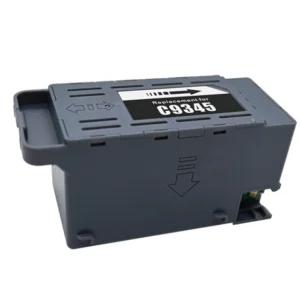


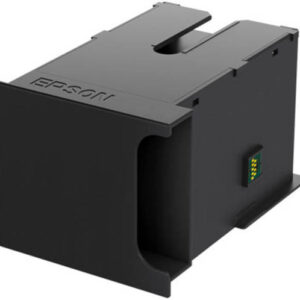
Epson E-6712 Ink Maintenance Box
Epson E-6712 Ink Maintenance Box
Features:
-
100% Genuine Epson Part
Designed by Epson for perfect compatibility and long-lasting reliability. -
Efficient Waste Ink Absorption
Prevents leaks and smudging by collecting excess ink from cleaning and maintenance tasks. -
Quick and Easy Replacement
No tools or technical knowledge needed — your printer will prompt you when it’s time to replace. -
Ideal for Regular and High-Volume Printing
Keeps your printer clean and functioning properly during heavy usage. -
Printer-Smart Detection
Your printer monitors ink waste levels and alerts you when it’s time to replace the maintenance box.
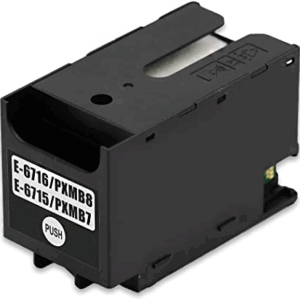
Epson E-6716 / E-6715 Ink Maintenance Box
Epson E-6716 / E-6715 Ink Maintenance Box
Features:
Genuine Epson Replacement Crafted to the highest quality standards for seamless compatibility and top performance. Efficient Waste Ink Collection Prevents internal ink overflow, maintaining a clean printer environment and minimizing print errors. Quick & Easy Installation Swap the old box for a new one in seconds—no tools or special skills required. Supports High-Volume Printing Ideal for home offices, small businesses, or creative professionals who rely on consistent output. Smart Monitoring Your Epson printer will alert you when the maintenance box needs replacing.
Epson E04D0 Ink Maintenance Box
Epson E04D0 Ink Maintenance Box
Features:
-
Official Epson Replacement Part
Manufactured to meet Epson’s high standards for quality and compatibility. -
Waste Ink Management
Absorbs residual ink to prevent internal overflow and protect your printer’s components. -
Tool-Free Replacement
Designed for easy installation and quick replacement — no tools or technician required. -
Optimized for Long-Term Use
Helps maintain clean print output and supports extended printer life. -
Smart Monitoring
Your printer will notify you when the box is full and needs to be replaced.



Reviews
There are no reviews yet.