

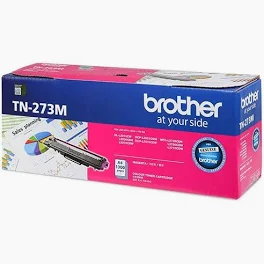
Brother TN-273M Magenta Toner Cartridge
Original price was: KSh 14,000.00.KSh 11,500.00Current price is: KSh 11,500.00.
Brother TN-273M Magenta toner. Engineered for precision and reliability, this genuine cartridge ensures fade-resistant output and protects your printer’s internal components. Designed for high-volume home or office printing, it delivers up to 1,300 pages of crisp, brilliant results.
Brother TN-273M Magenta Toner Cartridge
The Brother TN-273M Magenta toner provides high-impact color for all your professional documents. If you want your reports to stand out, this genuine cartridge offers the reliability you need. Furthermore, it works perfectly with your digital laser printer to ensure every page looks sharp.
Benefits of the Brother TN-273M Magenta Cartridge
Selecting the right supplies is essential for printer longevity. Specifically, the Brother TN-273M Magenta toner protects your hardware from the internal damage often caused by generic brands. Consequently, you will experience fewer paper jams and significantly less downtime.
-
Vibrant Results: This cartridge produces deep, fade-resistant magenta hues.
-
Efficient Yield: You can print up to 1,300 pages before needing a replacement.
-
Eco-Friendly Design: Brother offers a simple recycling program for your used supplies.
Technical Specs for Brother TN-273M Magenta
Because compatibility matters, you should always verify your model before purchasing. This Brother TN-273M Magenta toner fits several popular machines.
| Feature | Details |
| Model | TN-273M |
| Page Yield | 1,300 Pages |
| Color | Magenta |
Compatible Printers:
-
HL Series: HL-L3210CW, HL-L3230CDW, HL-L3270CDW, HL-L3290CDW
-
MFC Series: MFC-L3710CW, MFC-L3750CDW, MFC-L3770CDW
How to Install Your New Toner
To begin the process, open the front cover of your Brother printer. Next, remove the drum unit and pull the green lever to release the old toner. Afterward, slide the new Brother TN-273M Magenta cartridge into the drum until it clicks. Finally, slide the green tab back and forth to clean the corona wire before closing the machine.
Troubleshooting Your Brother TN-273M Magenta
Occasionally, your printer might display a “Replace Toner” message even after installation. To resolve this, ensure you have seated the cartridge firmly in the drum unit. Additionally, check that the small white gears on the side of the cartridge are clean. If the error persists, try restarting the printer to reset the internal sensors.
In conclusion, using the Brother TN-273M Magenta toner is the best way to maintain professional print quality. Although generic options exist, they rarely match the precision of genuine Brother engineering.
Related products
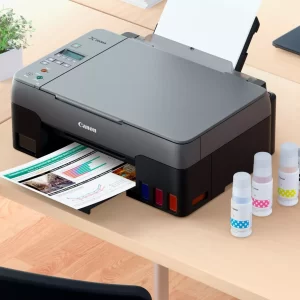

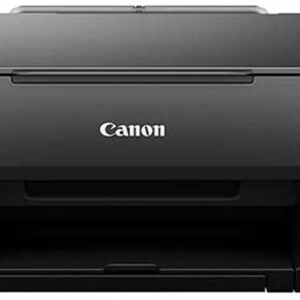
Canon Mega Tank PIXMA G2420(print ,scan,copy,photos)
- Print ,Scan ,Copy , Photos
- Print Speeds
- Print borderless photos in sizes up to A4
- 4 easily refillable ink tanks
- Replaceable Maintenance Cartridge
- Simple to control with 2-line LCD
- Banner Printing
- Hybrid ink for sharp text and vivid photos
- High yield ink tanks for continuous printing

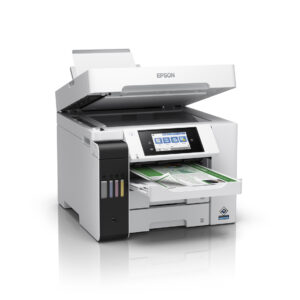
Epson EcoTank L6550 A4 Colour Wi-Fi Duplex All-in-One Printer
The Epson L6550 is the ultimate workhorse for busy offices. This heavy-duty A4 printer delivers laser-quality speeds with the ultra-low running costs of an ink tank. Furthermore, it uses pigment-based inks to ensure every document is water and smudge-resistant. Consequently, it is the perfect solution for professional contracts and marketing materials.
-
Ultra-Fast Performance: High-speed printing up to 25 ipm ensures no more waiting at the printer.
-
Massive Savings: Save up to 90% on printing costs with high-yield integrated ink tanks.
-
Business Ready: Features a 50-sheet ADF and automatic duplex (double-sided) printing and scanning.
-
Professional Quality: Uses Epson 112 Pigment Inks for sharp, durable, and smudge-proof text.
-
Large Capacity: Equipped with dual 250-sheet front trays to handle high-volume jobs effortlessly.
-
Smart Connectivity: Print from anywhere using Wi-Fi, Ethernet, or the Epson Smart Panel app.
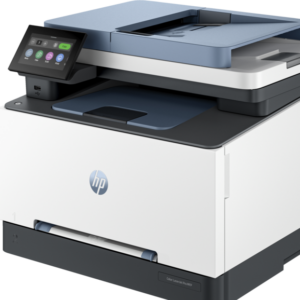
HP COLOR LJ PRO 3303FDW REPLACE 283FDW
HP COLOR LJ PRO 3303FDW REPLACE 283FDW
- Functions: Print, copy, scan, fax
- Print speed: Print speed up to 25 ppm (black) and 25 ppm (color)
- Print quality black (best): Up to 600 x 600 dpi
- Automatic document feeder capacity: Standard, 50 sheets
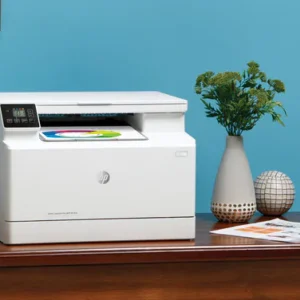
HP COLOUR LASERJET M182N
HP Color LaserJet Pro MFP M182n
An efficient MFP for high-quality colour and productivity. 1 Save time with Smart Tasks in HP Smart app, and print and scan from your phone. 2 Get security essentials to help maintain privacy and control.- Functions: Print, copy, scan
- Print speed: Print speed up to 17 ppm (black) and 17 ppm (colour)
- Print quality black (best): Up to 600 x 600 dpi

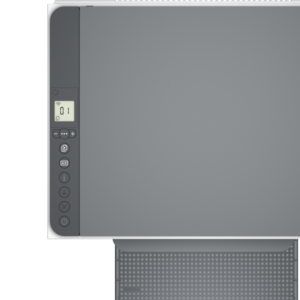
HP LaserJet MFP M236dw Printer (9YF95A)
-
Functions:Print, copy, scan, duplex , wireless
-
Print speed:Print speed up to 29 ppm (black) 1
-
Print quality black (best):Up to 600 x 600 dpi HP 136A Black LaserJet Toner Cartridge, W1360A (1,150 yield)
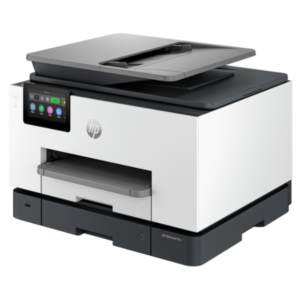
HP OfficeJet Pro 9130 All-in-One Printer – Print, Scan, Copy, Fax – Wi-Fi, Auto Duplex, 39ppm Mono
- Functions: Print, Scan, Copy, Fax
- Printing Technology: HP Thermal Inkjet
- Print Speed (black): Up to 39 ppm (ISO)
- Print Speed (color): Up to 18 ppm (ISO)
- First Page Out (black): As fast as 10 seconds
- Print Resolution (black): Up to 1200 x 1200 dpi rendered
- Print Resolution (color): Up to 4800 x 1200 dpi optimized on HP Advanced Photo Paper
- Scanner Resolution: Up to 1200 dpi (optical)
- Copy Resolution: Up to 600 dpi
- Connectivity: Wi-Fi, USB 2.0
- Mobile Printing Compatibility: HP Smart app, Apple AirPrint, Mopria
- Paper Handling: 550-sheet input tray (250-sheet main tray, 300-sheet optional tray), 50-sheet automatic document feeder (ADF)
- Monthly Duty Cycle: Up to 30,000 pages

Reviews
There are no reviews yet.